Websites built to AODA standards from day one.
I design and build websites for small businesses in Toronto and Durham Region to WCAG 2.1 AA, which covers the WCAG 2.0 AA standard Ontario's AODA references. Accessibility isn't a plugin or an upsell here. It's how the site is built.
Free site scan, including an accessibility score. No email required.
An inaccessible site quietly turns customers away.
Most owners never see these barriers. Some of their customers hit them every day.
Tick anything that sounds familiar
Sound familiar? The free scan shows what it's costing you. Thirty seconds, no email.
Accessible by default, not by plugin.
The parts of WCAG that most small business sites fail, handled in the design and the code from the start.
-
Readable colour contrast
Text and buttons that meet the WCAG AA contrast ratios, so they're readable in sunlight, on a cheap phone, and with low vision.
-
Works with a keyboard alone
Menus, forms, and pop-ups that can be reached and used without a mouse, with a visible highlight showing where you are.
-
Forms people can finish
Real labels on every field and error messages that say what's wrong in words, not just a red outline. Your contact form is where visitors become leads.
-
Images that make sense out loud
Meaningful descriptions on every image that carries information, so a screen reader tells a blind visitor what a sighted one sees.
-
Holds up when zoomed
Layouts that stay readable and usable at 200% zoom, which plenty of customers rely on every day.
-
Built in, not bolted on
Accessibility is part of the design and code from the first sketch, not a plugin added at the end. It costs nothing extra.
What the AODA actually asks of you.
Accessibility marketing in Ontario leans hard on fear. Here's the calmer version.
If your business has fewer than 50 employees, the AODA doesn't legally require your website to meet WCAG. I'll tell you that up front, because a lot of "get compliant or else" marketing doesn't. If you have 50 or more, your public website must meet WCAG 2.0 Level AA. Here's the full picture on AODA website requirements for Ontario small businesses.
I build to the standard anyway, on every site, because the same barriers cost you customers whether or not the law applies to you. I learned this work under a real deadline: I led the design work on the website for the College (the Ontario College of Teachers) after it was served an AODA warning, and part of my job was catching accessibility issues through each round of remediation.
If you'd like to see where your current site stands first, here's how to check whether your website is AODA compliant yourself, in about half an hour. Sometimes the answer is a few fixes, not a new site, and I'll say so.
Real projects. Before and after.
Every rebuild starts with a scorecard. Here's what before and after looks like.
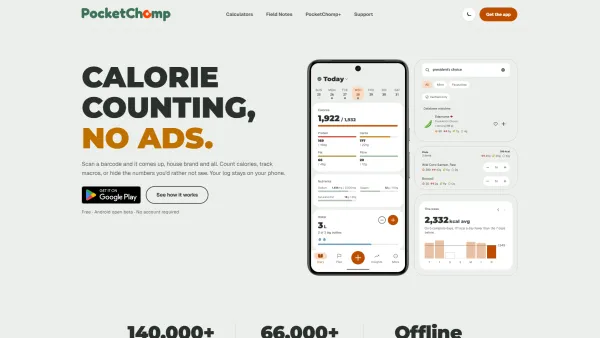
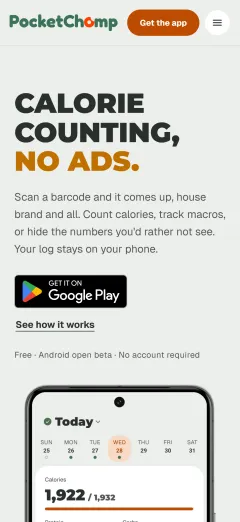 Health & Fitness / Mobile App
PocketChomp
CanadaCanadian calorie and macro tracker. Marketing site and calculators built from scratch to launch the Android beta.

 Regulatory / Public Sector
Ontario College of Teachers
Toronto, ONPublic regulator's main site. Modernized the front door so teachers and the public can find what they need fast.
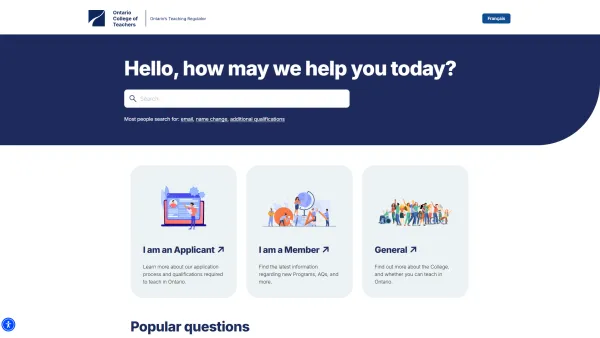
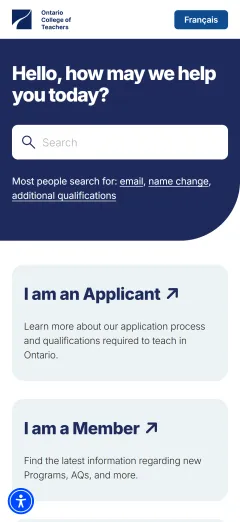 Regulatory / UX
Ontario College of Teachers FAQ
Toronto, ONLed the redesign of OCT's public FAQ, structured content to reduce call volume and improve findability for teachers navigating certification.

 Finance / Automation
Crescendo Stage
RemoteFinance automations. Redesigned for a fresh look in time for a trade show, and so it'd work with any device.

 Agriculture / Local Markets
Lunar Rhythm Gardens
Port Perry, ONFamily farm CSA. Refreshed from a basic wordpress template.
Two ways to work together. No surprise invoices.
Monthly if you want ongoing help. Flat rate if you want the site handed over. Same build quality either way.
Monthly
- Design and development
- Plausible analytics included
- Hosting included
- Unlimited edits included
- +$100 per page after 5
- +$250 to add a blog
- 24/7 support
- Lifetime updates
One-off
- Design and development
- Plausible analytics included
- +$25/mo hosting
- +$50/mo unlimited edits add-on
- +$100 per page after 5
- +$250 to add a blog
- 24/7 support
- Lifetime updates
AODA web design, common questions.
What is AODA-compliant web design?
Does my small business website legally need to be AODA compliant?
Why build to the standard if the law doesn't require it for my business?
How much does an accessible website cost?
Will an accessibility plugin or overlay make my current site compliant?
Can you make my existing website AODA compliant?
Find out what your site is costing you.
Run a free scan of your site. No email required. You'll see what's slowing people down, what's missing, and what I'd fix first.